Rent ledger template
A spreadsheet for recording each tenant's charges and payments with a running balance. Download it as a CSV file and open it in Excel, Google Sheets, or Numbers.
- No account needed
- Opens in Excel, Google Sheets, and Numbers
What is in the template
The template has eight columns and one row for each charge or payment. The three example rows show a rent charge, a partial payment, and a late fee. Delete them before you start.
| Date | Tenant | Unit | Description | Charge | Payment | Balance | Notes |
|---|---|---|---|---|---|---|---|
| 2026-10-01 | Example Tenant | Unit 1A | October rent | $1,200.00 | None | $1,200.00 | Example row. Delete before use. |
| 2026-10-05 | Example Tenant | Unit 1A | Payment, check 1001 | None | $800.00 | $400.00 | Example row. Partial payment, rest promised by 2026-10-15. |
| 2026-10-08 | Example Tenant | Unit 1A | Late fee per lease | $50.00 | None | $450.00 | Example row. Delete before use. |
Balance is a running total: the previous balance plus the charge, minus the payment.
Download the template (CSV)How to use the template
A CSV file holds values only. Save your copy as an Excel workbook or a Google Sheet so the balance formula and the formatting are kept.
Open it and save a copy
Open the file in Excel, Google Sheets, or Numbers and save it in that program's own format. Format the Charge, Payment, and Balance columns as currency, then delete the three example rows.
Keep one ledger per tenant
Make one copy, or one tab, for each lease so every running balance belongs to one tenant. Fill in Tenant and Unit on every row so a printout makes sense on its own.
Add every charge on its due date
Enter rent on the day it is due, before the money arrives, with the amount in Charge. Late fees and other charges your lease allows each get their own row.
Add every payment on the day it arrives
Put the amount in Payment and the method in Description, such as a check number or a transfer reference. Record the amount paid, even when it is less than the rent.
Let a formula keep the balance
In the first row, type
=E2-F2in the Balance column. In the next row, type=G2+E3-F3and copy it down the column. A positive balance is what the tenant owes, and a negative balance is a credit.Check it against the bank each month
Match each payment row to a deposit in your bank account, then follow up on any open balance. The guide to tracking rent covers this in more detail.
How the Rentals369 ledger does this for you
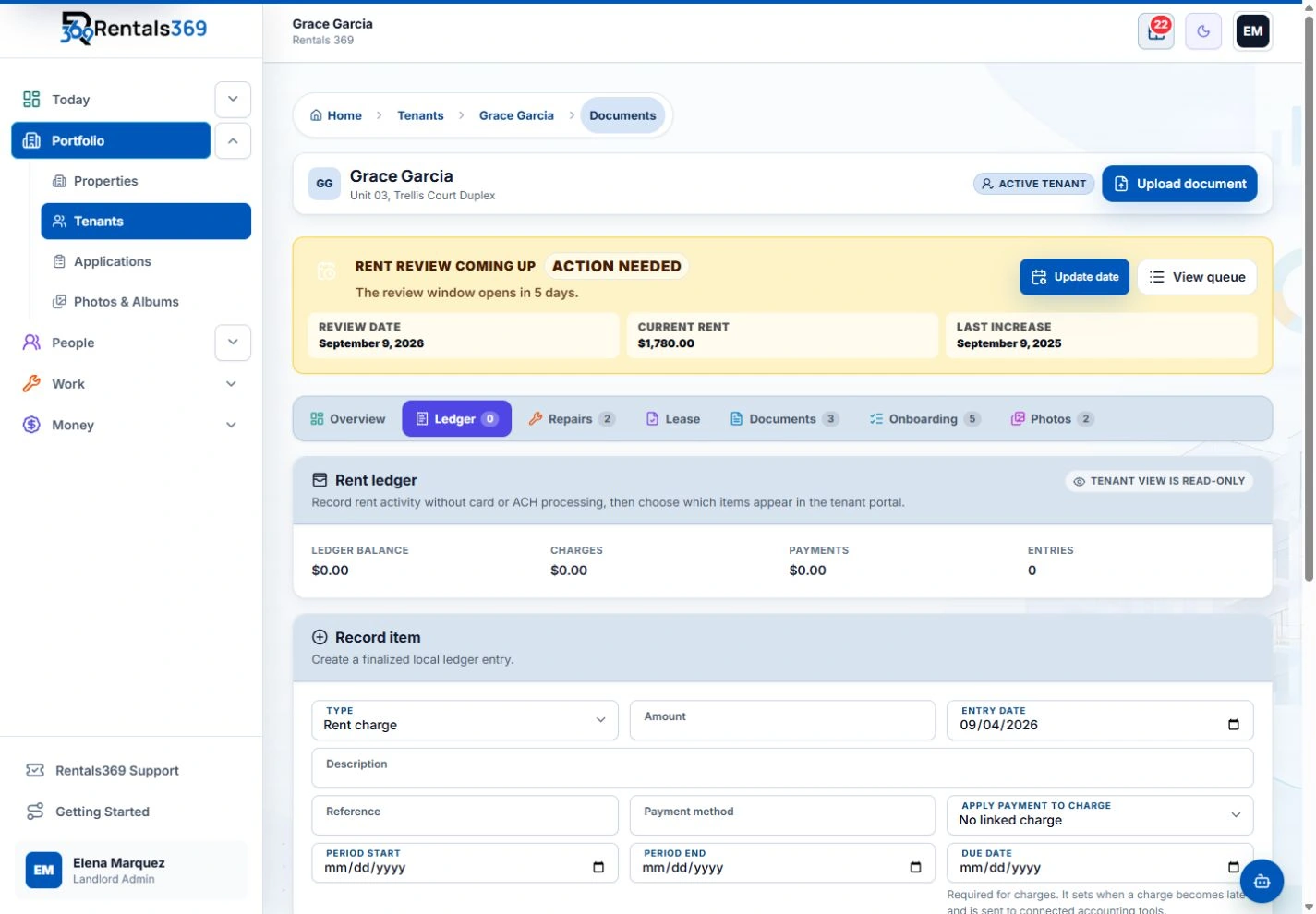
Rentals369 keeps a rent ledger for each tenant, with charges, recorded payments, and the balance on one screen. The balance updates as you record each item.
- Create and schedule rent charges by tenant
- Record payments, with a printable receipt for any recorded payment
- Set late-fee rules once, and the ledger tracks them
- See what is overdue across your portfolio in the Delinquency Worklist
Rentals369 does not collect rent online. You record the payments you receive. The optional QuickBooks Sync add-on sends finalized rent charges, payments, and late fees to QuickBooks Online.
- 7-day money-back guarantee on eligible plans
More guides and tools
Late fee calculator
Work out a late fee and see whether a payment came in during the grace period.
Open the calculatorHow to track rent for several tenants
Ledgers, partial payments, late fees, receipts, and a monthly check against the bank.
Read the guideMove-in and move-out checklist
A printable room-by-room inspection checklist with notes and signature lines.
Open the checklist
Let the ledger keep the balance for you.
Rentals369 is $19.99 a month for up to 5 active tenants, with every core feature included. Next, see what your plan would cost.
No setup fee. Cancel anytime. 7-day money-back guarantee on eligible plans.