Late fee calculator for rent
Enter the monthly rent, the late fee terms from your lease, and the dates, and this rent late fee calculator shows the fee and whether the payment came in during the grace period. Landlords and property managers use it to check whether a rent payment was late under the lease. Tenants can use it the same way to check a late fee they were charged.
Work out the fee
The calculator does the arithmetic for the terms you enter. Whether those terms are allowed depends on where the property is.
In dollars, for example 1,200.
A fixed amount, for example 50.
For example 5 for 5% of the rent.
Used only when you enter a flat fee and a percentage.
Days after the due date before rent counts as late. Enter 0 if your lease has none.
Late fee
$50.00
Late fee applies
Paid 7 days after the due date. The 5-day grace period ran through Tuesday, October 6, 2026, so the payment is late.
Flat fee: $50.00. Rent plus late fee: $1,250.00.
Late fee limits and notice rules vary by state and city, and some places cap or ban late fees. Check your local law and your lease before charging one.
How to calculate a late fee on rent
A late fee on rent is a flat amount or a percentage of the monthly rent, charged when the rent is still unpaid after the grace period ends. For a percentage fee, multiply the rent by the rate: 5% of $1,500 rent is $75.
The steps below use the calculator's starting values: rent of $1,200 due on October 1, a 5-day grace period, and a $50 flat fee.
The calculator covers a one-time fee on one month's rent. If your lease charges a daily fee or a fee on an unpaid balance, use its wording to work out the amount.
Count the days late
Subtract the due date from the date the rent was paid. Rent due October 1 and paid October 8 is 7 days late.
Check the grace period
If the days late are no more than the grace period, the payment is inside it and no fee is due. With a 5-day grace period, a payment on October 6 is inside the grace period and a payment on October 7 is late. Leases word this in different ways, so follow yours.
Work out the fee
A flat fee is the amount in your lease. A percentage fee is the monthly rent times the percentage, so 5% of $1,200 is $60. If your lease has both, it should say whether to add them ($110 here) or to charge the higher or the lower one.
Late fee questions from landlords and tenants
How much can a landlord charge for a late fee?
The amount the lease states, as long as it stays within the limits where the property is. Those limits vary by state and city, so check your local law before you set a fee or charge one.
Where the law names no figure, a fee far above what a late payment really costs the landlord can still be challenged as unreasonable in many places.
What is a typical late fee percentage for rent?
Many leases charge about 5% of the monthly rent: $60 on $1,200 rent, or $100 on $2,000. Some states and cities cap the percentage lower than that or set a dollar limit, so check before you use 5% in a lease.
To see a percentage late fee for your rent, enter the rate in the Percentage of rent box above and leave the flat fee empty.
Can a landlord charge a daily late fee?
Sometimes. Some leases charge a set amount for each day rent stays unpaid, often up to a maximum, and some places limit daily fees or don't allow them.
To work one out, multiply the daily amount by the number of days it applies to: $10 a day for 4 days is $40. Leases differ on whether the count starts at the due date or when the grace period ends, so follow yours and stop at any cap. The calculator above works out a one-time fee only.
What is a late fee grace period?
A grace period is the number of days after the due date when a tenant can still pay rent without a late fee. With rent due on the 1st and a 5-day grace period, a payment on the 6th has no fee and a payment on the 7th is late.
The rent is still due on the 1st, and the grace period only delays the fee. Some states and cities require a grace period, so check what applies to your property.
Are late fees limited by law?
Often, yes. Many states and some cities cap late fees, set a minimum grace period, or allow a fee only when the lease states it, and the rules differ from place to place. Check your lease and your state and local law before you charge one.
The calculator does the arithmetic for the terms you enter. It does not check whether those terms are allowed where your property is.
How can a tenant check a late fee?
Enter the terms from your lease and the dates in the calculator above, then compare the result with the fee you were charged. Check how your lease decides when rent counts as paid, for example the day the landlord receives it, and use that date.
If the numbers don't match, ask the landlord in writing for the rent ledger lines that show the fee, and the lease clause behind it. A local tenant rights group or legal aid office can tell you whether a fee is within the limit where you live.
How Rentals369 handles late fees
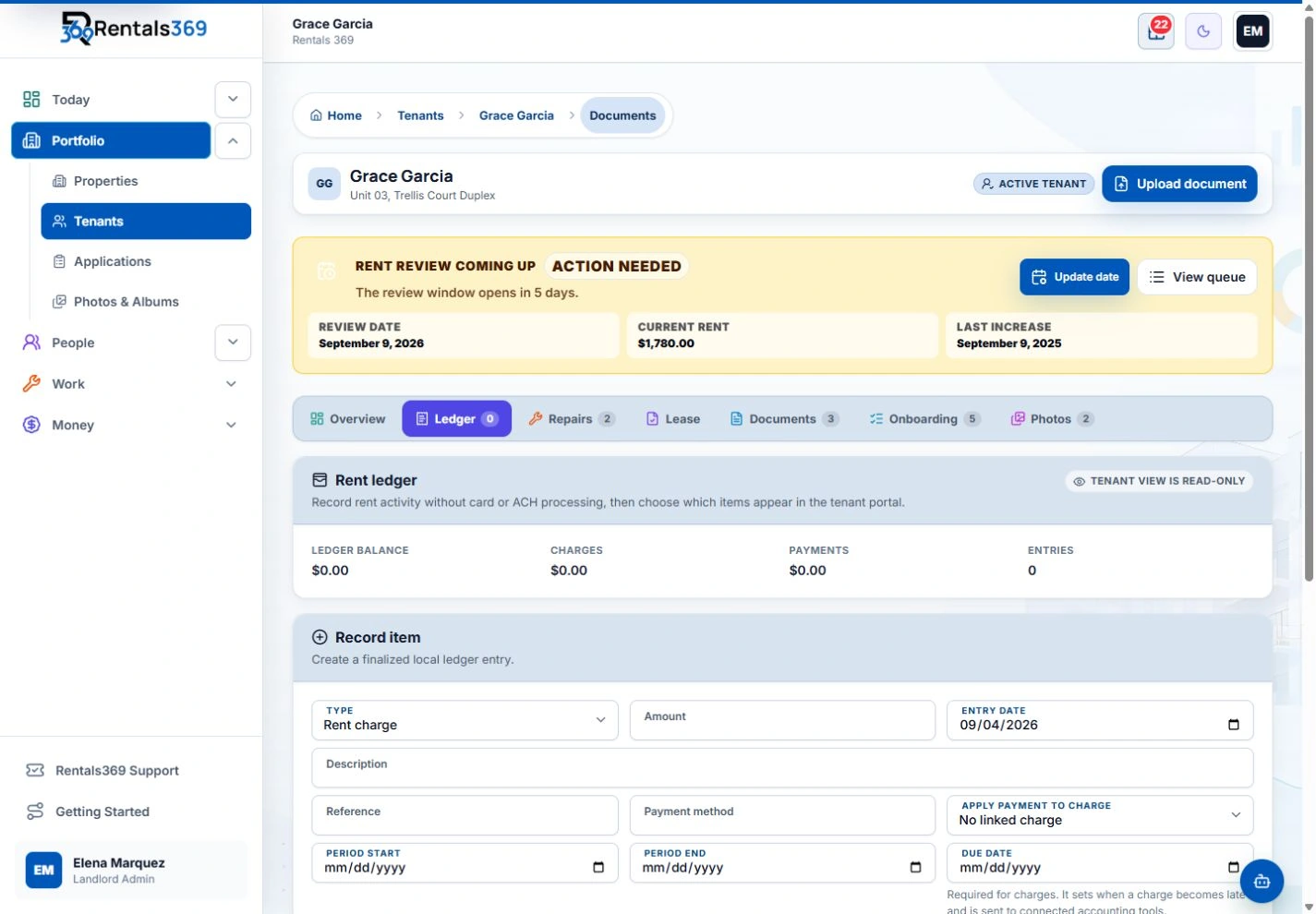
Working out fees by hand works for a few units. In Rentals369 you add a late fee to the tenant's rent ledger as its own entry, next to the charges, payments, and balance. After you connect QuickBooks Online, it gets a copy of each late fee.
- Create and schedule rent charges by tenant
- Record payments and print a receipt for any recorded payment
- See what is overdue across your portfolio, and the tenants behind it, in the Delinquency Worklist
Rentals369 does not collect rent online. You record the payments you receive.
More guides and tools
Rent ledger template
A spreadsheet with a row for each charge and payment and a running balance.
Get the templateHow to keep track of rent payments
One ledger per tenant, partial payments, late fees, receipts, and a monthly check against the bank.
Read the guideMove-in and move-out checklist
A printable room-by-room inspection checklist with notes and signature lines.
Open the checklist
Get your evenings back.
One plan includes everything, with no setup fee: Email Sync with suggested replies, QuickBooks sync, DocuSign for your leases, the Android app, storage with no set limit, and portals for your tenants, vendors, and owners.
$59/month for up to 3 tenants, or $49.17/month billed yearly.
No-sweat guarantee: full refund within 30 days.