Free rental income and expense spreadsheet
This free landlord spreadsheet keeps a rental property's income and expenses in one list: every rent payment, fee, repair, bill, and tax payment on its own dated row, with the property, the unit, the category, and whether you kept the receipt. Download it as a CSV file and open it in Excel, Google Sheets, or Numbers. Below are a filled-in example, the usual rental categories, and the steps to total each category at the end of the year.
- No account needed
- Opens in Excel, Google Sheets, and Numbers
Rental income and expense spreadsheet example
This is one month for a duplex at 1418 Elm Street. Each row has its amount in Income or in Expense, never in both, so each column adds up on its own. Jordan Lee's $450 transfer on October 15 takes two rows, because $400 of it is rent and $50 is a late fee, and those are different categories.
| Date | Property | Unit | Category | Description | Income | Expense | Paid to or from | Method | Receipt kept |
|---|---|---|---|---|---|---|---|---|---|
| 2026-10-01 | 1418 Elm St | 1B | Rent | October rent | $1,150.00 | None | Maria Gomez | Bank transfer | Yes |
| 2026-10-03 | 1418 Elm St | All | Insurance | Landlord policy, October | None | $96.00 | Insurance company | Card | Yes |
| 2026-10-05 | 1418 Elm St | 1A | Rent | October rent, partial | $800.00 | None | Jordan Lee | Check 1001 | Yes |
| 2026-10-05 | 1418 Elm St | 1A | Repairs and maintenance | Kitchen sink leak | None | $185.00 | Delta Plumbing | Check 2210 | Yes |
| 2026-10-12 | 1418 Elm St | All | Utilities | Water and sewer, September | None | $142.37 | City water department | Bank transfer | Yes |
| 2026-10-15 | 1418 Elm St | 1A | Rent | October rent, balance | $400.00 | None | Jordan Lee | Bank transfer | Yes |
| 2026-10-15 | 1418 Elm St | 1A | Late fees | Late fee per lease | $50.00 | None | Jordan Lee | Bank transfer | Yes |
| 2026-10-20 | 1418 Elm St | All | Supplies | Smoke detector batteries, furnace filters | None | $38.60 | Hardware store | Card | No |
| 2026-10-28 | 1418 Elm St | All | Mortgage interest | Interest part of the October payment | None | $612.40 | Mortgage lender | Bank transfer | Yes |
For October, income adds up to $2,400.00 and expenses to $1,074.37, a difference of $1,325.63. The No in the last column is a receipt still to find. The download has these columns plus Notes, and these nine rows as samples.
Download the spreadsheet (CSV)What each column is for
Fill in every column on every row. A row that makes sense on its own still makes sense a year later, when you or your tax professional read it.
Date
The day the money came in or went out, written as 2026-10-05 so the rows sort in order.
Property and Unit
Which rental the row belongs to. Use All for a cost that covers the whole building, such as insurance or a water bill.
Category
One of the categories below, spelled the same way every time, so the totals add up.
Description
What it was, in a few words, such as October rent or a kitchen sink leak.
Income and Expense
The amount, in one of the two columns. Leave the other one blank.
Paid to or from
The tenant, vendor, or company on the other side of the payment.
Payment method
Cash, check with its number, bank transfer, or card, so you can find the payment on a statement.
Receipt kept
Yes once the receipt, invoice, or statement is filed. No means one is still missing.
Rental income and expense categories
The template uses these categories. Rename them or add your own, then spell each one the same way on every row.
IRS Publication 527, Residential Rental Property (for 2025 returns, checked October 31, 2026) lists rental expenses you may be able to deduct, among them advertising, cleaning and maintenance, insurance, mortgage interest, management fees, repairs, taxes, utilities, and travel. Ask your tax professional which categories you need, and how they want repairs kept apart from improvements.
Keep security deposits on a separate sheet, since you may have to return them. Publication 527 explains when a deposit counts as rental income.
| Category | Column | What goes in it |
|---|---|---|
| Rent | Income | Rent payments as they arrive, partial payments included. |
| Late fees | Income | Late fees your lease allows, once the tenant pays them. |
| Other income | Income | Parking, laundry, pet rent, or other fees tenants pay you. |
| Repairs and maintenance | Expense | Plumbers, handymen, parts, and upkeep such as gutter cleaning. |
| Utilities | Expense | Water, sewer, trash, gas, or electric that you pay for the rental. |
| Insurance | Expense | Landlord or property insurance premiums. |
| Property tax | Expense | Each property tax payment for the rental. |
| Mortgage interest | Expense | The interest part of each loan payment, from your lender's statement. |
| Management fees | Expense | What you pay a property manager, if you use one. |
| Supplies | Expense | Batteries, filters, light bulbs, and cleaning supplies. |
| Travel | Expense | Mileage and trips to the rental for repairs, showings, or inspections. |
| Advertising | Expense | Listing fees and ads for a vacancy. |
| Legal and professional fees | Expense | Your tax professional, attorney, or bookkeeper. |
| Other | Either | Anything that fits nowhere else, with a clear description. |
How to open it in Excel, Google Sheets, or Numbers
The spreadsheet is a CSV file, a plain format all three programs open. A CSV file holds values only, so save your copy in the program's own format before you add formulas or formatting.
Excel
Open Excel, choose File > Open, and pick rentals369-rental-income-expense-spreadsheet.csv. Then choose File > Save As and pick Excel Workbook (.xlsx) as the file type.
Google Sheets
Go to sheets.google.com and open a blank spreadsheet. Choose File > Import, select Upload, and pick the file. Set Import location to Replace spreadsheet, then choose Import data. Sheets keeps the result as a Google Sheet in your Drive.
Numbers
On a Mac, open Numbers, choose File > Open, and pick the file. Numbers opens it as a new spreadsheet. Choose File > Save to keep it as a Numbers file.
How to track rental income and expenses
Record every amount on the day it moves, give it a category and a property, file the receipt, and check the sheet against the bank each month. Then each year-end total is one formula. Step by step:
Set up your copy
Format Income and Expense as currency, then delete the sample rows. Keep one sheet for all your rentals; the Property and Unit columns keep them apart.
Add a row when money moves
Enter each payment you receive and each bill you pay on the day it happens. When one payment covers two categories, such as rent plus a late fee, split it into two rows.
File the receipt the same day
Save the receipt or invoice in a folder for the year, named with the date and amount, and change Receipt kept to Yes.
Check it against the bank each month
Match every row to your bank and card statements, and add anything missing, such as a bank fee. A bank account used only for your rentals makes this easier.
Total each category
In a cell to the right of the table, type
=SUMIF(D2:D500,"Repairs and maintenance",G2:G500)to total an expense category. Use F2:F500 in place of G2:G500 for an income category.=SUM(F2:F500)-SUM(G2:G500)gives income minus expenses.Give the totals to your tax professional
Send the category totals and the sheet itself to whoever prepares your taxes, and ask which categories they need from you next year.
How Rentals369 helps
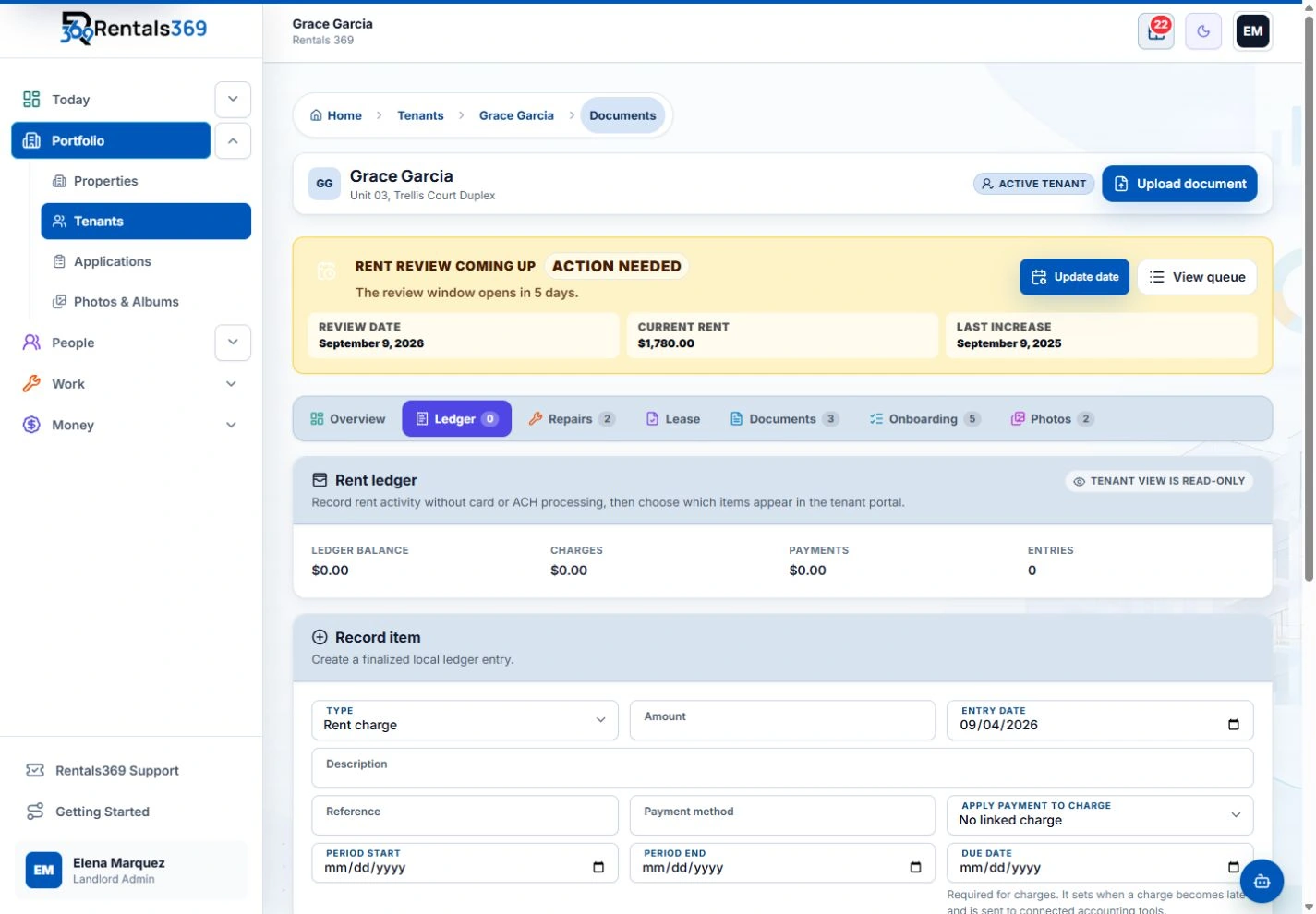
Rentals369 is not accounting software, and it doesn't total your year the way this spreadsheet does. It records the rental side as you work: rent charges and the payments you receive on each tenant's ledger, the late fees you add, and the cost of each repair. If you use QuickBooks Online, Rentals369 sends those records to it one way, so you don't type them twice.
- Rent charges, payments, and late fees on one ledger per tenant
- Repair costs kept with the repair they belong to
- A printable receipt for every payment you record
- What is overdue across all your tenants on the Delinquency Worklist
Rentals369 does not collect rent online. You record the payments you receive.
More guides and tools
Rent ledger template
One running record of each tenant's charges, payments, and balance.
Get the templateWhat records should a landlord keep?
The records for each rental and tenant, and how long to keep them.
Read the guideRent receipt template
Fill in a receipt for each payment, then print it or save it as a PDF.
Open the template
Get your evenings back.
When the spreadsheet stops keeping up, Rentals369 keeps rent, late fees, and repair costs with each tenant and property, in one plan with everything included and no setup fee: Email Sync with suggested replies, QuickBooks sync, DocuSign for your leases, the Android app, storage with no set limit, and portals for your tenants, vendors, and owners.
$59/month for up to 3 tenants, or $49.17/month billed yearly.
No-sweat guarantee: full refund within 30 days.